From first bead to workforce readiness
WeldGrade brings welding lessons, hands-on practice, and feedback together so learners know what to work on next.
Learn independently with the GMAW curriculum and AI-assisted weld-photo feedback, or use WeldGrade in a class with instructor-reviewed assignments and progress tracking.
Product trailer
Watch WeldGrade in 30 seconds
AI-assisted weld feedback, instructor-confirmed review, and a record of learner progress.
Footage and screens are prepared teaching examples, not a live inspection or certification.
View the trailer on MediaOne learner. One record. One pathway.
Welding progress should not disappear between practice, school, certification, and employment.
WeldGrade gives learners a place to collect their work, reflect on feedback, answer foundational Check Questions, and build a visual record of improvement over time.
For instructors, it creates a clearer way to review student work, document feedback, and track progress across assignments and classes.
Built for the full welding journey
Explore welding before enrolling
Learn welding fundamentals with the GMAW curriculum and Check Questions, and save practice work privately before joining a class.
Learn with structure
Students can review Learning Library topics, answer Check Questions, and connect classroom work to the skills and discontinuities they are learning to recognize.
Learn the inspector's eye
Students can request an AI inspection, optionally mark what they see for deeper practice, and instructors remain the final authority.
Review with instructor judgment
Instructors can review submissions, adjust deductions, add notes, mark discontinuities, and decide whether work is Accepted or Needs Rework.
Build a portfolio over time
Each learner's work can become part of a growing competency record — showing practice, feedback, improvement, and readiness.
Inside a Review Report
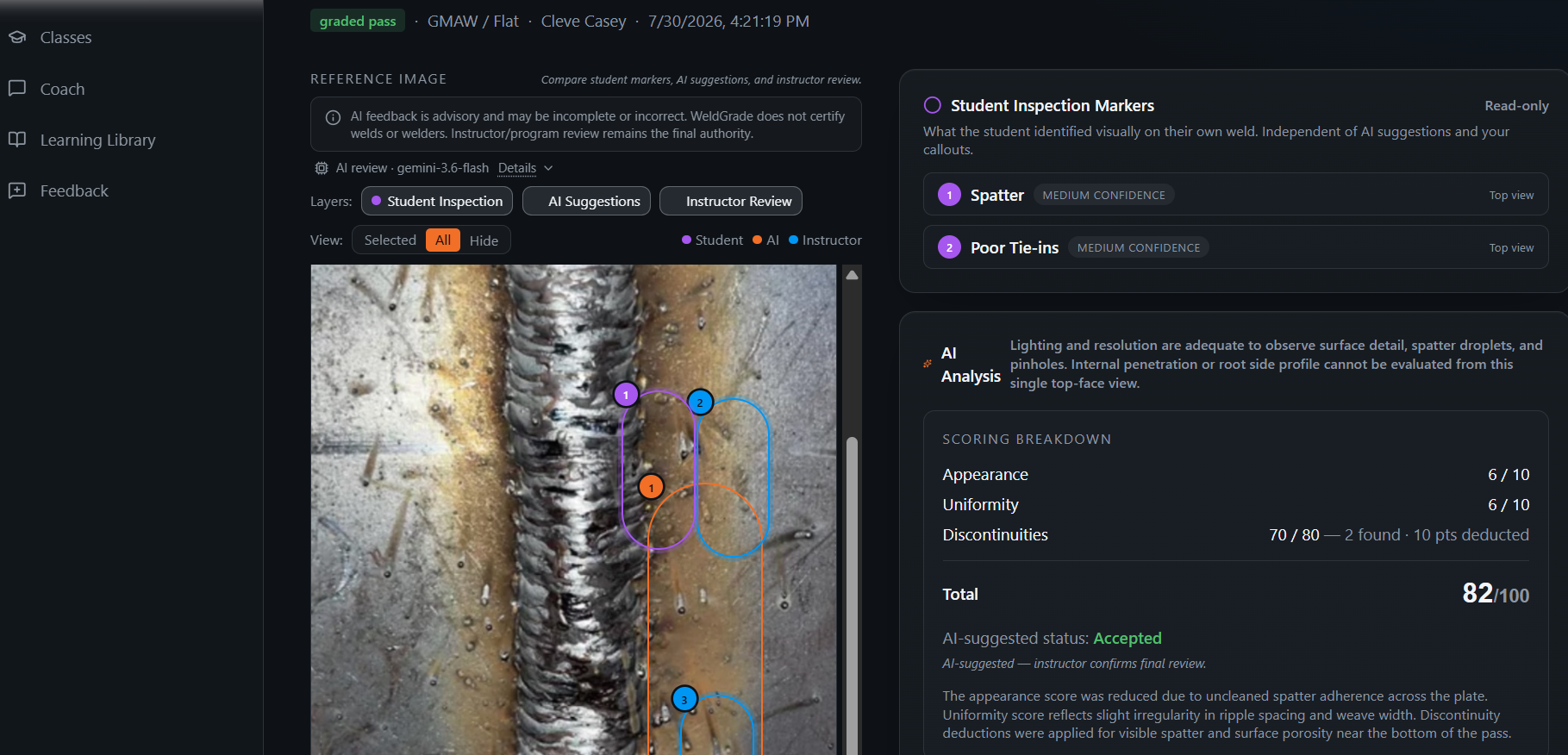
Every Review Report trains a student to see more clearly through AI-assisted inspection, optional advanced self-observation, and instructor-confirmed feedback.
Learner uploads a weld photo and requests an AI inspection.
Advisory on-photo labels add a second look.
Final review adjusts and records the outcome.
Learning Library · FLASH
Learning Library topics help students connect weld quality issues to fundamentals, vocabulary, and Check Questions.
How WeldGrade works
Start with the learner
A user can begin as an independent learner exploring welding, then become a Student when they join a class — without losing their progress.
1Learn the fundamentals
Learning Library topics and Check Questions help students build vocabulary and recognize common weld quality issues.
2Upload practice or assignments
Learners upload weld photos and request an AI inspection, beginning a visual record of their work.
3Review AI-assisted labels
WeldGrade shows advisory on-photo labels to support learning; students may optionally mark their own observations for deeper practice. AI does not replace instructor judgment.
4Instructor reviews and confirms
The instructor reviews the work, adjusts feedback, confirms findings, and records the final training outcome.
5Progress becomes visible
Gradebook views, review reports, learning progress, and portfolio records help students and instructors see growth over time.
6
- 1
Start with the learner
A user can begin as an independent learner exploring welding, then become a Student when they join a class — without losing their progress.
- 2
Learn the fundamentals
Learning Library topics and Check Questions help students build vocabulary and recognize common weld quality issues.
- 3
Upload practice or assignments
Learners upload weld photos and request an AI inspection, beginning a visual record of their work.
- 4
Review AI-assisted labels
WeldGrade shows advisory on-photo labels to support learning; students may optionally mark their own observations for deeper practice. AI does not replace instructor judgment.
- 5
Instructor reviews and confirms
The instructor reviews the work, adjusts feedback, confirms findings, and records the final training outcome.
- 6
Progress becomes visible
Gradebook views, review reports, learning progress, and portfolio records help students and instructors see growth over time.
For Independent learners
Not enrolled yet? Learn independently with the GMAW curriculum and private weld-photo feedback.
- Learn basic safety, terms, weld types, and common discontinuities
- Answer quick Check Questions
- Track your beginner learning progress
- Upload early practice beads or small projects
- Prepare for a class, apprenticeship, or training program
Your progress can follow you if you later join a welding class.
For Students
WeldGrade helps students learn how to see their own work more clearly.
- Upload weld photos
- Request an AI inspection and review advisory on-photo labels
- Optionally mark what you see for deeper practice
- Receive instructor feedback
- Track learning progress
- Build a portfolio of improvement
The goal is not just to get an answer. The goal is to learn how to inspect, improve, and explain your work.
For Instructors and Programs
WeldGrade is built to support instructor-led welding education.
- Create classes and assignments
- Review student submissions
- Add visual feedback directly on weld images
- Track Check Question progress
- Adjust deductions and final outcomes
- Move through student submissions quickly
- Build a clearer record of student competency
WeldGrade supports the instructor. It does not replace the instructor.
AI-assisted. Instructor-confirmed.
Suggestions only — never a final grade.
- Undercut confirmed
- Porosity not confirmed
- Final outcome: Accepted
The instructor adjusts, confirms, and records the outcome.
WeldGrade uses AI to support visual learning and feedback, but final review belongs to the instructor.
AI suggestions are advisory. Instructor judgment remains the standard.
The aim is not to make students dependent on AI feedback — it is to help them build better judgment.
Why WeldGrade exists
Welding is hands-on knowledge. Much of it is learned by seeing, practicing, correcting, and trying again.
WeldGrade was built to help preserve that learning process — giving students a clearer path, instructors better review tools, and programs a stronger way to document progress.
From first bead to final review, WeldGrade helps turn practice into a record of growth.
Our Story
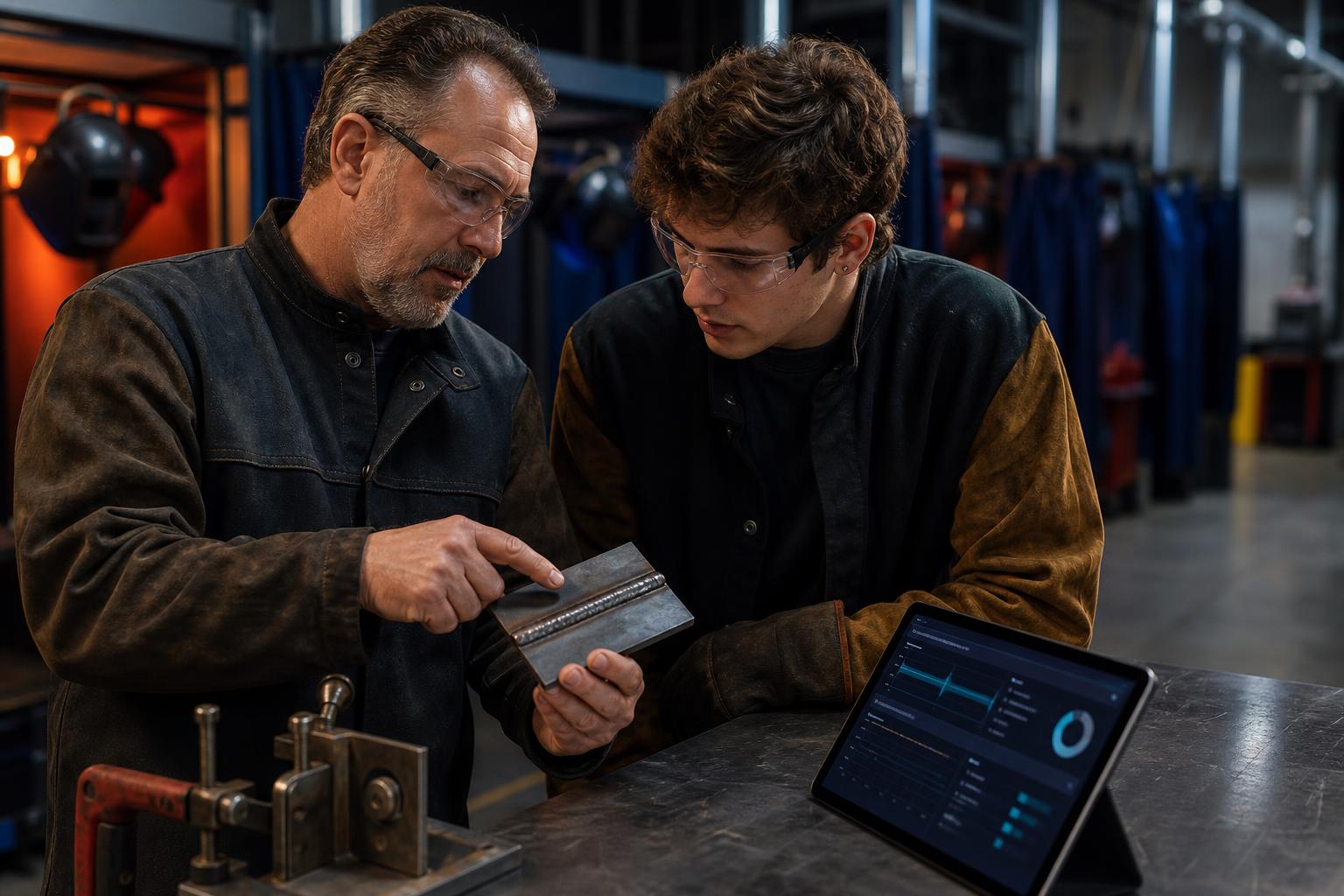
WeldGrade began as a conversation between a father and son — at the intersection of welding craftsmanship and modern technology.
Curtis spent a lifetime teaching welding, inspecting work, and helping students understand what quality looks like. His son saw an opportunity to turn that hard-earned knowledge into a tool that could help the next generation learn faster, see more clearly, and build a lasting record of progress.
WeldGrade is not about replacing instructors. It is about preserving what great instructors know, giving students a clearer path, and helping skilled trades carry forward into a future that still depends on real hands, real practice, and real craftsmanship.
The work may be changing. The need for skilled welders is not.
Tested against real classroom workflows. Designed to help instructors spend less time documenting and more time teaching.
Ready to build the next generation of welders?
Bring WeldGrade into your welding program, pilot class, or training pathway.